

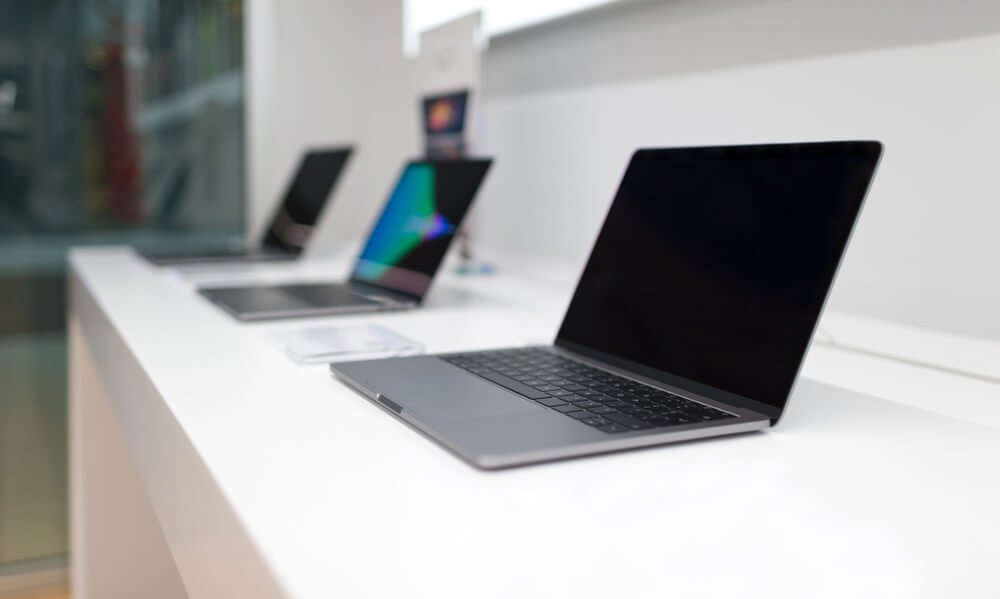
An ultrabook is a type of laptop that is thin, light, and energy efficient, designed for portability rather than maximum performance. «"Laptop" is a generic term for any portable computer, from inexpensive office models to powerful gaming machines. The name "Ultrabook" is a registered trademark of Intel, which defined the requirements for this class of hardware in 2011.
To sum it up
- The essence of the concept: Every ultrabook is a laptop, but not every laptop is an ultrabook.
- Design: An ultrabook is thinner and lighter and usually has a metal body; laptops can be thicker and heavier.
- Components: An Ultrabook is equipped with an energy-efficient processor and a fast SSD drive; a laptop may have a more powerful processor and a discrete graphics card.
- Compromises: The Ultrabook wins in portability and battery life, but has fewer ports and limited expansion options.
What is an Ultrabook? A brief history of the name.
Intel unveiled an Ultrabook concept at Computex in 2011. Early specifications included, among other things, a maximum device thickness (up to 18 mm for screens smaller than 14 inches and up to 21 mm for larger ones), at least 5 hours of battery life, fast wake-up from sleep mode, and an energy-efficient Intel Core processor.
Subsequent generations tightened the requirements. In the 2013 specification (Haswell processors), Intel increased the expected battery life and shortened the wake-up time, and also introduced a touchscreen requirement. For several years, Intel rarely used this term—it was replaced in marketing by the term "platform." Intel Evo . In practice, the word "ultrabook" today serves as a colloquial term for any thin and light laptop, including laptops with AMD or Apple processors (for example, the MacBook Air, which was never officially marketed as an ultrabook).
Laptop vs. Ultrabook – Design Differences
The "laptop" category encompasses a wide range of devices, from budget models with plastic cases and versatile 15-inch home computers to thick gaming laptops with efficient cooling systems. Weight and thickness vary depending on the intended use.
The Ultrabook is designed from the ground up for portability . It features a thin body—often made of aluminum or magnesium alloy—typically with a 13-14-inch screen and a lightweight design, making it easy to carry in your bag all day. The tradeoff is a cramped interior: less room for the cooling system, ports, and additional components.
Performance, cooling and battery
Ultrabooks use low-power processors . They're sufficient for office work, web browsing, video conferencing, and simple photo editing, while generating less heat and conserving battery life. Some models feature passive cooling, meaning they operate silently and without a fan.
A typical laptop—especially a gaming or graphics-intensive one—may have a more powerful processor and dedicated video card . This provides better performance for gaming, video editing, or 3D modeling, but increases weight, fan noise, and power consumption. Actual battery life varies by model and usage, so it's important to check benchmark results rather than just the manufacturer's claims.
Ports, storage, and expansion options
A thinner body usually means fewer ports . Many Ultrabooks feature USB-C ports (often also for charging), while classic USB-A ports, HDMI, or card readers are often missing—in which case, an adapter or docking station becomes useful. Larger laptops typically offer a full complement of ports, and some even include an RJ-45 network port.
Ultrabooks use SSD drives, and RAM is often soldered The motherboard is attached—it can't be upgraded later. Many classic laptops allow you to replace or add RAM and a hard drive. Therefore, before purchasing an Ultrabook, it's worth choosing a configuration with more memory.
Comparison Chart: Laptop vs. Ultrabook
| Characteristic | Laptop (general purpose) | Ultrabook |
|---|---|---|
| Definition | Any laptop | Thin, light laptop; this name was coined by Intel in 2011. |
| Thickness and weight | Very different - from light to heavy gaming models. | Slim body, light weight |
| Happening | Plastic or metal | Most commonly used alloys are aluminum or magnesium. |
| Processor and graphics | Also powerful processors and separate video cards. | Energy-efficient processor, integrated graphics |
| Battery | Depends on configuration | Setting for long-term operation without recharging. |
| Ports | Often this is a complete set (USB-A, HDMI, card reader). | Fewer ports, advantage of USB-C. |
| Development | Replacing RAM and hard drive is often possible. | RAM is often soldered, with limited expansion options. |
Laptop or Ultrabook – Which One to Choose?
- If you travel a lot, work in a cafe, university or on the train, and your computer is mainly used for office work, the Internet, studying and video calls, choose an ultrabook. .
- If you play demanding games, edit video, work in 3D programs, or need a lot of ports without adapters, choose a classic laptop.
- If you primarily use your computer at a desk and want a larger screen and the ability to expand functionality in the future, a larger laptop is a good choice.
- When choosing an ultrabook, pay attention to the amount of RAM (it often cannot be increased), the set of ports, and the actual battery life confirmed by independent tests.
Frequently Asked Questions (FAQ)
Is an ultrabook a laptop?
Yes. An ultrabook is a subcategory of laptop—a portable computer with a thin and light design, focused on portability and long battery life.
Is the MacBook Air an Ultrabook?
In terms of design, the MacBook Air resembles what's commonly called an Ultrabook: thin and light. However, "Ultrabook" is technically an Intel trademark, and Apple didn't market the MacBook Air under that name.
Can you play games on an ultrabook?
For simple, undemanding games, this is usually the case. For newer, more demanding games, a laptop with a discrete graphics card and a more efficient cooling system is better, as the integrated graphics of an Ultrabook have limited power.
What replaced the name "ultrabook"?
In Intel's materials, the term "ultrabook" has been replaced by the Intel Evo platform, which also defines the requirements for thin and light laptops. However, the term "ultrabook" remains in common usage.
Is it possible to increase the RAM in an ultrabook?
It depends on the model, but in many Ultrabooks, the memory is soldered to the motherboard and cannot be expanded. Therefore, it's best to purchase a version with the appropriate amount of RAM and check the manufacturer's specifications.
See also
- What is the difference between Intel Core i3 and i5 processors?
- What is the difference between a lithium-ion battery and a lithium-polymer battery?
- What is the difference between LR20 and R20 batteries?
- What is the difference between a webcam and a digital camera?